
Annex E DirectoryServices (Normative)
E.1 Global Discovery via Other Directory Services
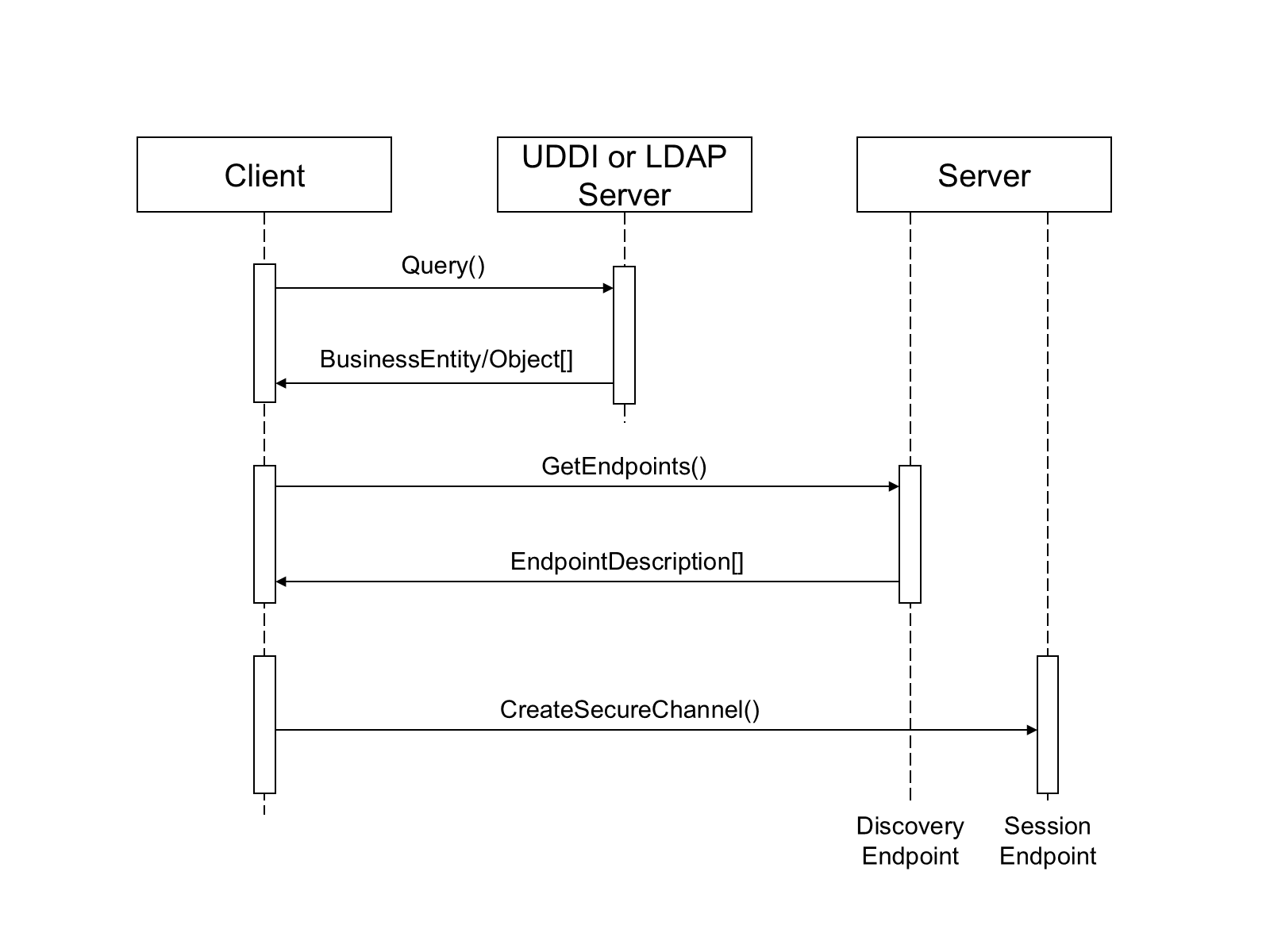
Many organizations will deploy DirectoryServices such as LDAP or UDDI to manage resources available on their network. A Client can use these services as a way to find Servers by using APIs specific to DirectoryService to query for UA Servers or UA DiscoveryServers available on the network. The Client would then use the URLs for DiscoveryEndpoints stored in the DirectoryService to request the EndpointDescriptions necessary to connect to an individual Servers
Some implementations of a GlobalDiscoveryServer will be a front-end for a standard Directory Service. In these cases, the QueryApplications method will return the same information as the DirectoryService API. The discovery process for this scenario is illustrated in Figure .
E.2 UDDI
UDDI registries contain businessEntities which provide one or more businessServices. The businessServices have one or more bindingTemplates. bindingTemplates specify a physical address and a Server Interface (called a tModel). Figure E.2 illustrates the relationships between the UDDI registry elements.
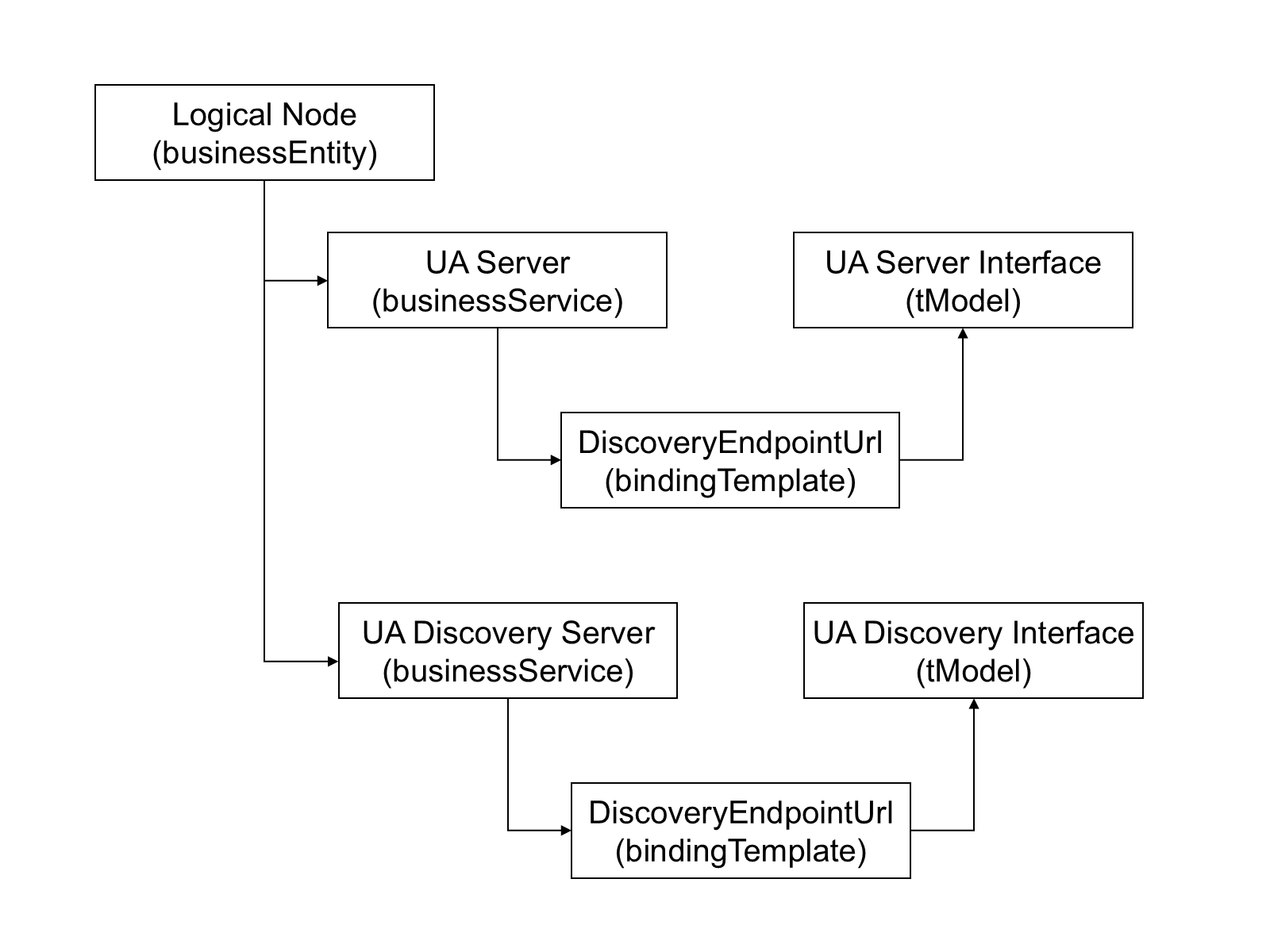
This specification defines standard tModels which shall be referenced by businessServices that support UA. The standard UA tModels shown in Table .
| Name | domainKey | uuidKey |
| Server | uddi:server.ua.opcfoundation.org | uddi:AA206B41-EC9E-49a4-B789-4478C74120B5 |
| DiscoveryServer | uddi:discoveryserver.ua.opcfoundation.org | uddi:AA206B42-EC9E-49a4-B789-4478C74120B5 |
The name of the businessService elements should be the same as the ApplicationName for the UA application. The serviceKey shall be the ApplicationUri. At least one bindingTemplate shall be present and the accessPoint shall be the URL of the DiscoveryEndpoint for the UA server identified by the serviceKey. Servers with multiple DiscoveryEndpoints would have multiple bindingTemplates
A UDDI registry will generally only contain UA Servers, however, there are situations where the administrators cannot know what Servers are available at any given time and will find it more convenient to place a DiscoveryServer in the registry instead.
E.3 LDAP
LDAP Servers contain objects organized into hierarchies. Each object has an objectClass which specifies a number of attributes. Attributes have values which describe an object. Figure E.3 illustrates a sample LDAP hierarchy which contains entries describing UA Servers.
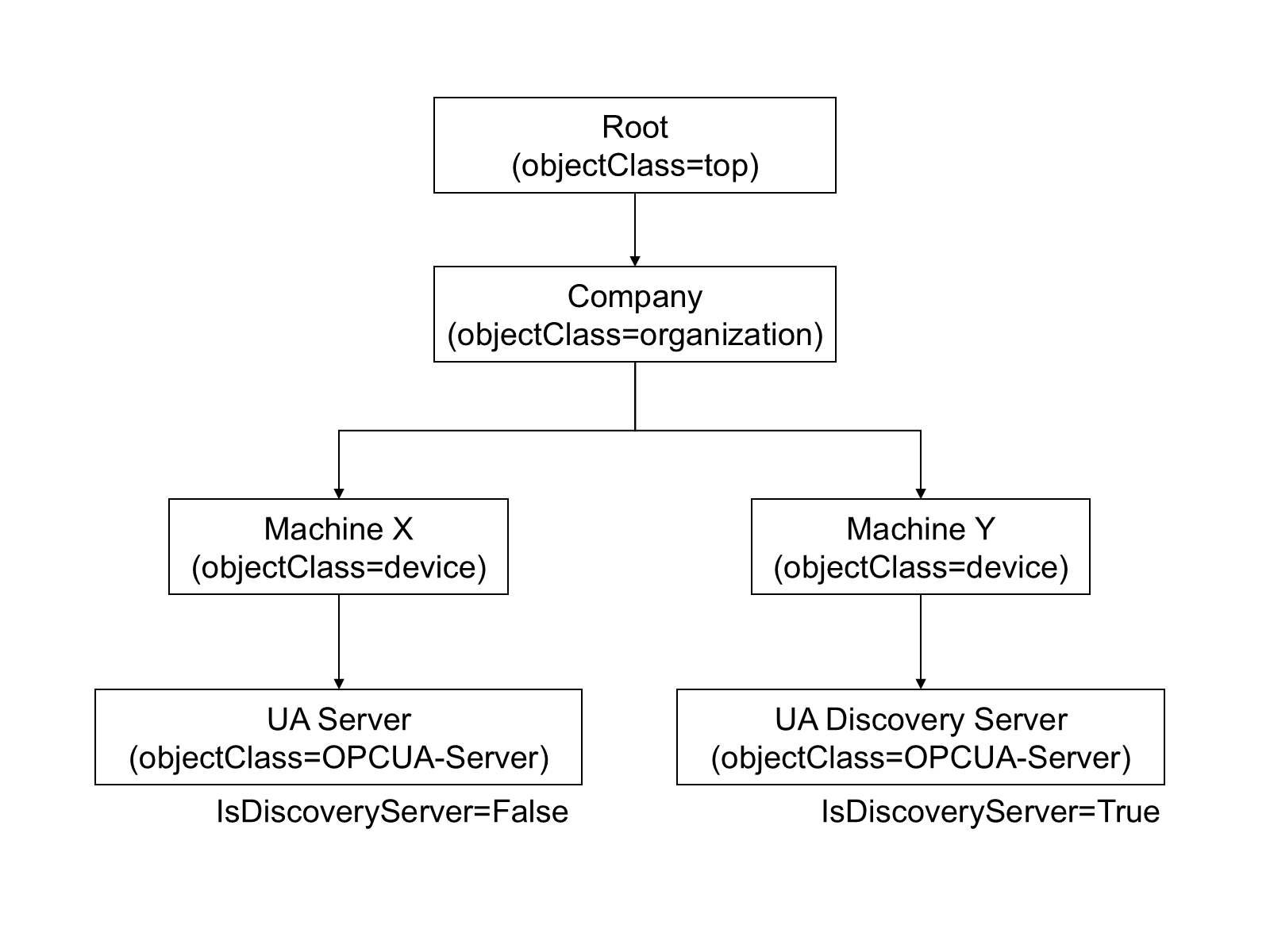
UA applications are stored in LDAP Servers as entries with the UA defined objectClasses associated with them. The schema for the objectClasses defined for UA are shown in Table E.2.
| Name | LDAP Name | Type | OID |
| Application | opcuaApplication | Structural | 1.2.840.113556.1.8000.2264.1.12.1 |
ApplicationName | cn | String (Required) | Built-in |
HostName | dNSName | String | Built-in |
ApplicationUri | opcuaApplicationUri | Name | 1.2.840.113556.1.8000.2264.1.12.1.1 |
ApplicationType | opcuaApplicationType | Boolean | 1.2.840.113556.1.8000.2264.1.12.1.3 |
DiscoveryUrl | opcuaDiscoveryUrl | String, Multi-valued | 1.2.840.113556.1.8000.2264.1.12.1.4 |
This OID is globally unique and can use used with any LDAP implementation.
Administrators may extend the LDAP schema by adding new attributes.