B.4 Monitoring
B.4.1 Overview
The Monitoring building block (see section 16) can be used for a MachineryItem as well as for components of a MachineryItem. There are different ways how to combine this information, as shown in the following sections. Servers can choose which approach to use, Clients should be prepared for all those approaches.
B.4.2 Independent representation
The simplest implementation is, that the MachineryItem represents its monitoring information in its Monitoring building block, and the components provide their monitoring information in their Monitoring building blocks. When a component gets replaced, only this part of the information model needs to be replaced, as well.
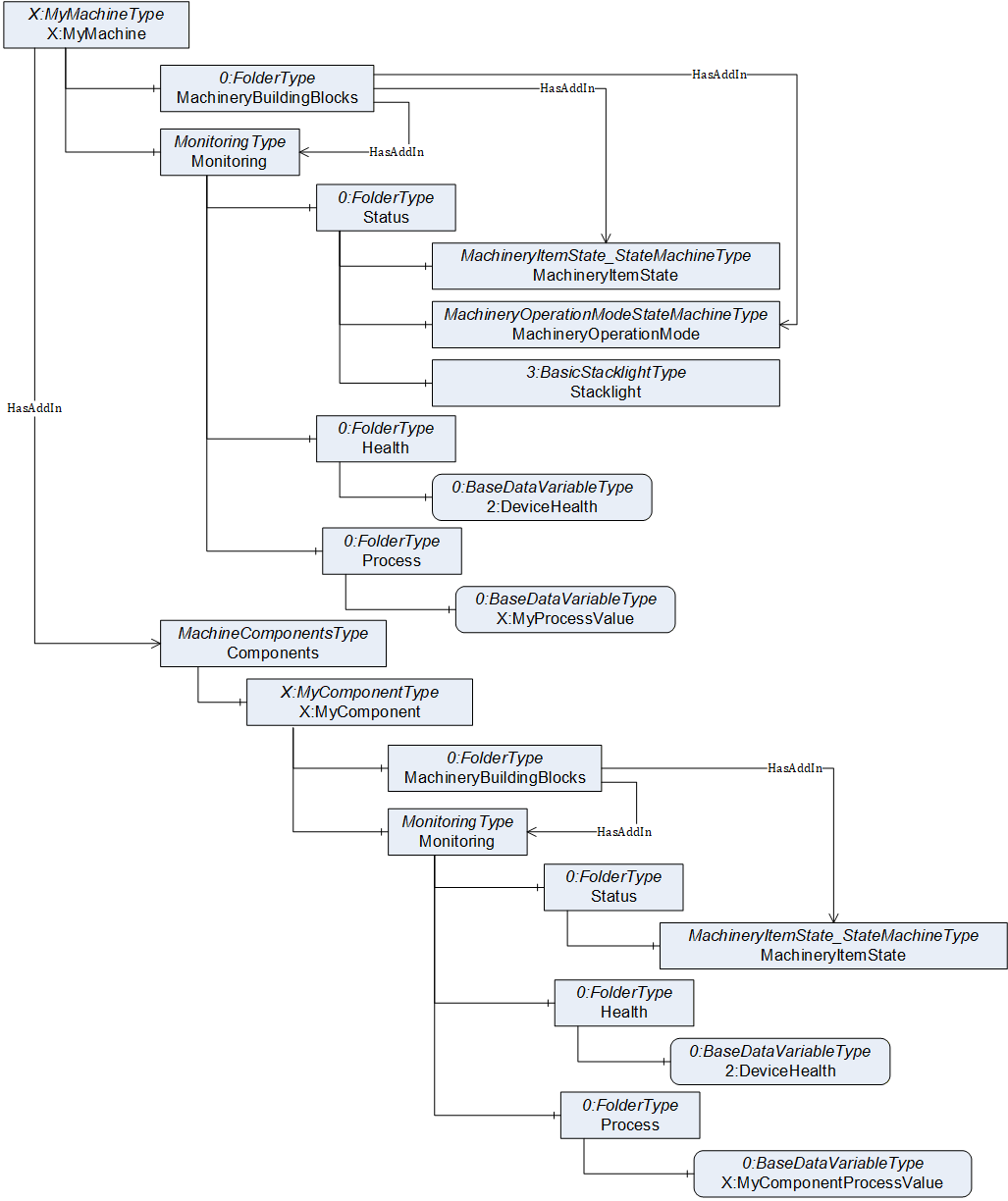
An example is shown in Figure 34. The X:MyMachine provides the Monitoring building block with information only in the context of the machine, not considering anything from its subcomponents. It does provide a subcomponent X:MyComponent, also providing a Monitoring building block with information about the subcomponent.
Note: The values of the MachineryItem may be aggregated out of the values of subcomponents. Considering the example of Figure 34, the overall MachineryItemState may consider the MachineryItemState of subcomponent X:MyComponent as well. Same is true for the DeviceHealth. Depending on the functionality of the X:MyMachine, this may actually be required if the X:MyComponent is an integral part of the X:MyMachine, and the X:MyMachine would not be functional without X:MyComponent.
B.4.3 References
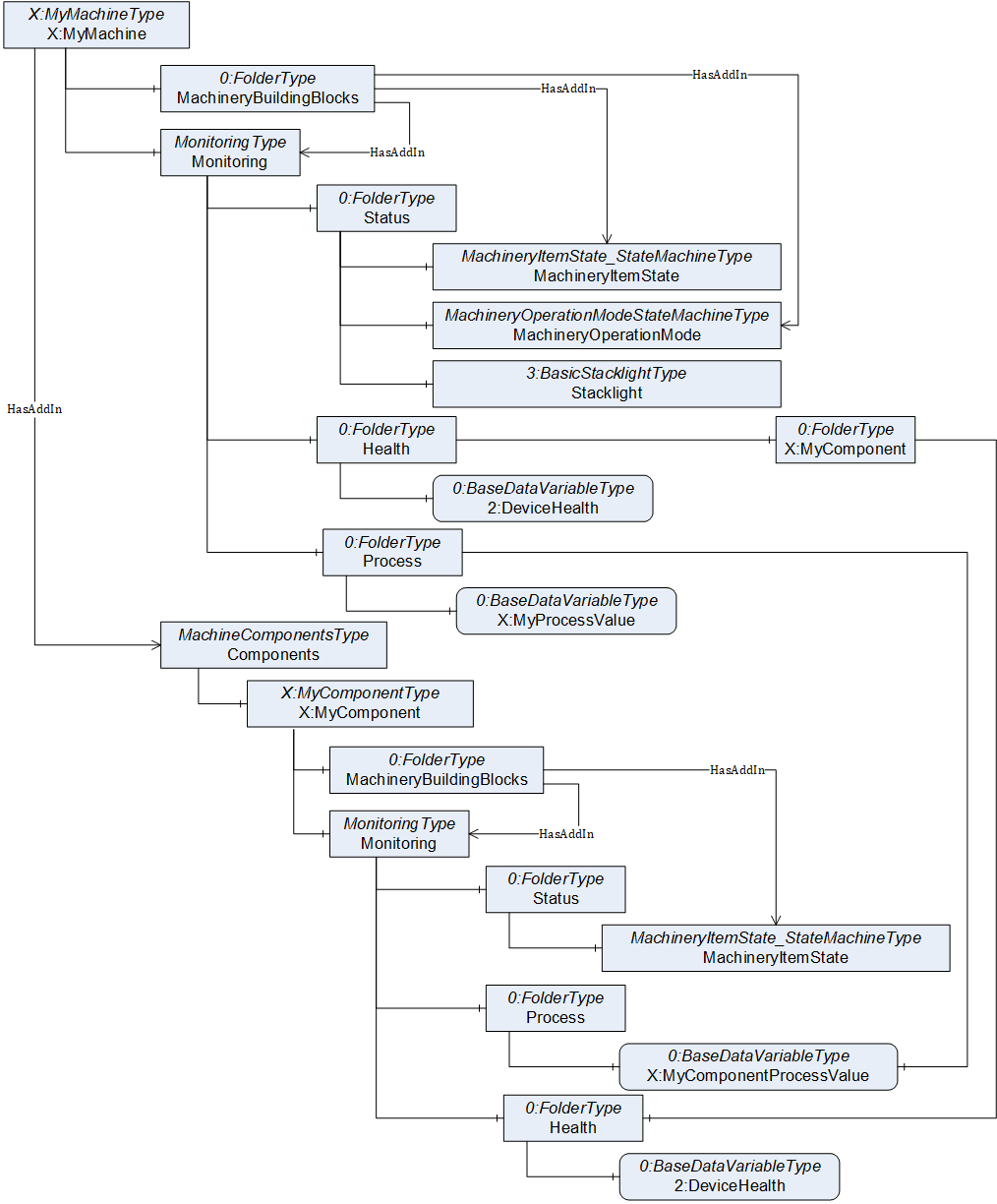
When some information of subcomponents is considered to be essential for the machine, the Monitoring building block may reference the information of the subcomponents directly. This is shown in Figure 35. The X:MyComponentProcessValue, provided by the X:MyComponent, is referenced from the Process folder of X:MyMachine. This approach only works, if the referenced Node has a unique (in the context of the machine) and self-explaining name and description in order to be interpretable. If this is not the case, the context needs to be provided by some proxy object, like used for the health of the subcomponent. Just referencing the Health folder or the DeviceHealth Variable would not provide the context of the subcomponent (assuming there would be several subcomponents), therefore a proxy object X:MyComponent was added. Note that this approach may lead to duplicating the components information in various places under Monitoring, It should be used rarely for important information that should be accessible from the Monitoring of the machine, directly. For the example of the health of the subcomponent, this may be unnecessary and better accessed by accessing the general information about the component.