14.1 Schedule a Job on the TTD by MES
The scheduling of a Job on the TTD by the MES is done in the following steps:
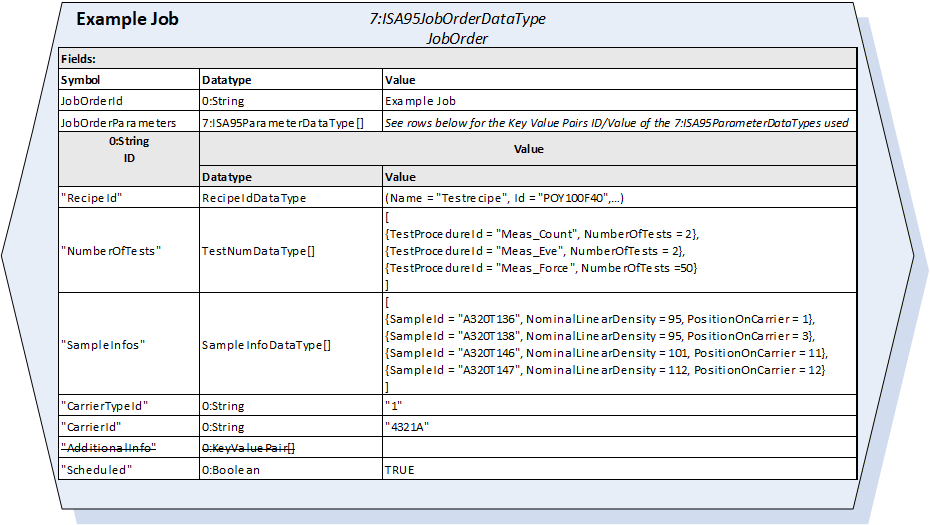
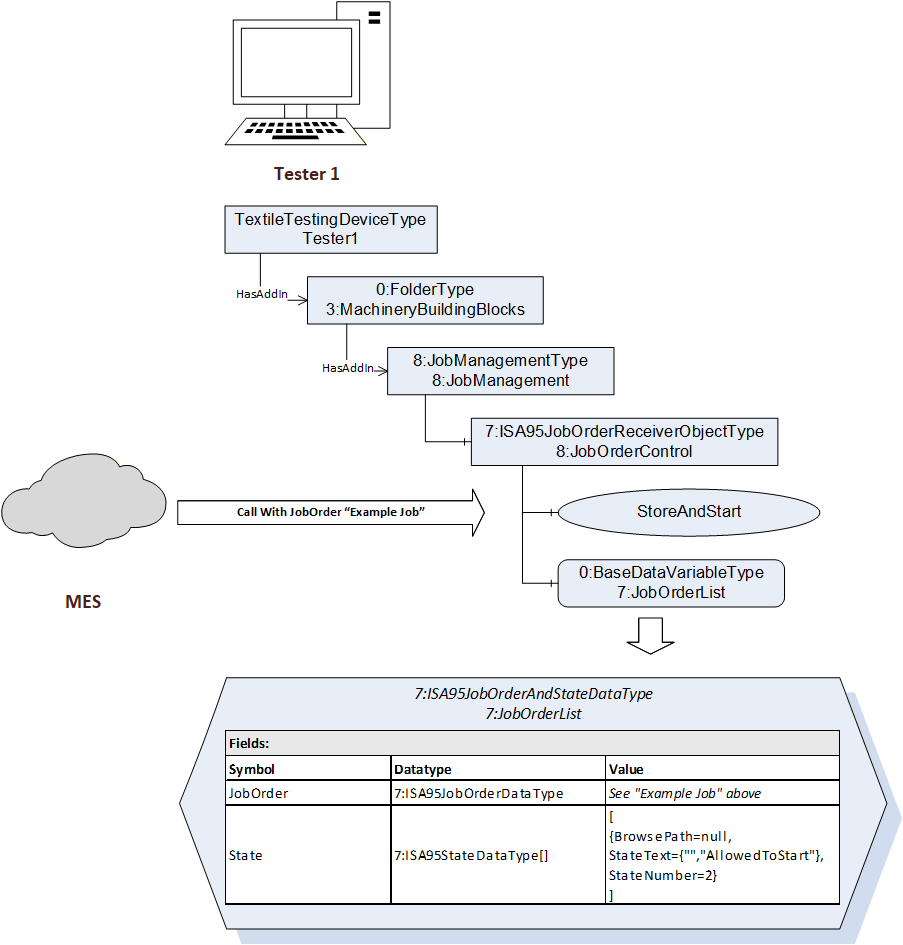
For each Job the MES wants to schedule on the TTD the MES creates an Object of the type 7:ISA95JobOrderDataType and sends it to the TTD by calling either the Method Store or the Method StoreAndStart on the 8:JobOrderControl Object located in the 8:JobManagement on the TTD.
The TTD takes the 7:ISA95JobOrderDataType, embeds it in a 7:ISA95JobOrderAndStateDataType and stores it in the 7:JobOrderList attached to the 8:JobOrderControl Object.
Figure 11 shows an “Example Job” in a proprietary Software on a proprietary TTD and Figure 12 shows the corresponding JobOrder as the 7:ISA95JobOrderDataType.
Figure 12 shows the scheduling of the “Example Job” on the TTD and the 7:JobOrderList that results.
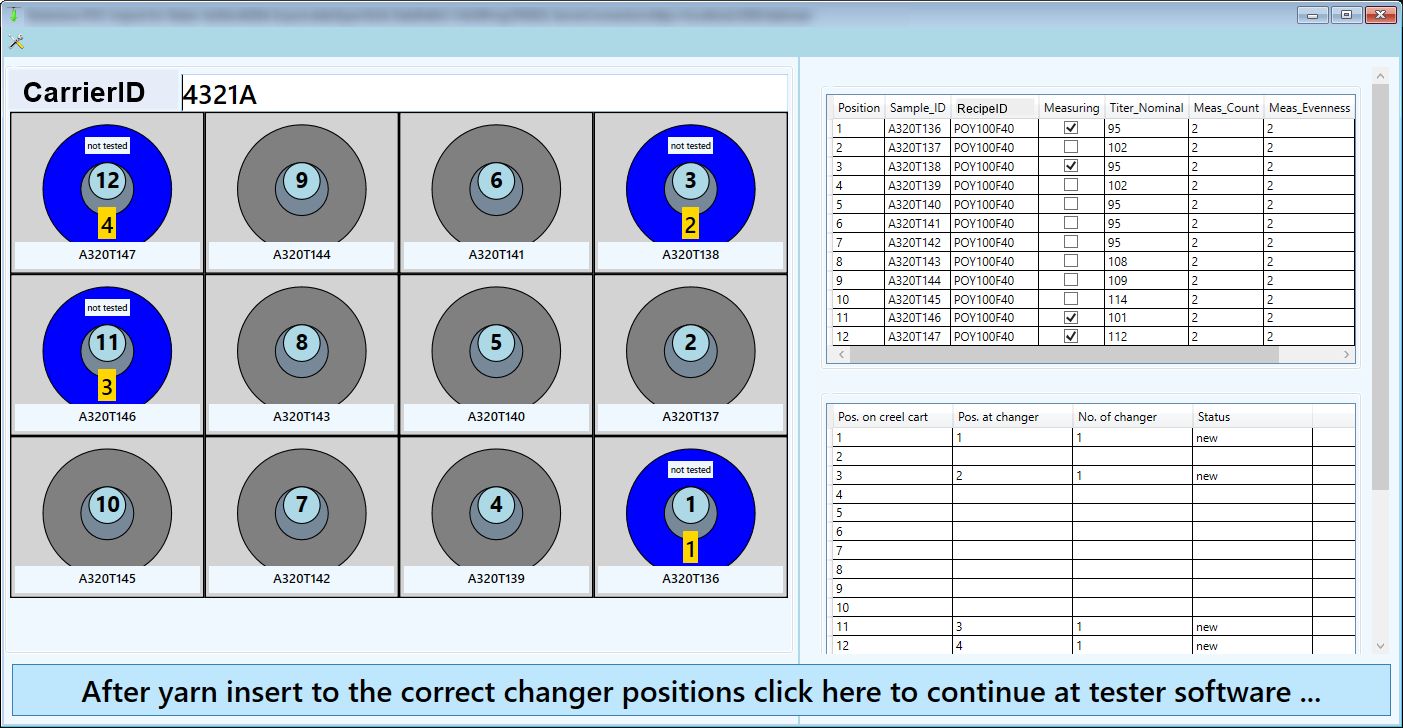
The following properties are used for the test job:
CarrierId: 4321A
CarrierTypeId (Not shown in the figure): 1 (means 4x3 here, but is custom by the vendor)
RecipeId: POY100F40
Meas_Count: 2, Meas_Eve: 2, Meas_Force: 50 (combined in NumberOfTests[])
Sample_ID: A320T136 | A320T138 | A320T146 | A320 T147, Titer_Nom: 95 | 95 | 101 | 112, Pos. on carrier: 1 | 3 | 11 | 12 (combined in SampleInfos[])