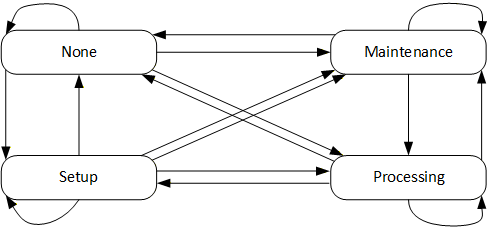
7.2.1 Machine State and Operation Mode
To provide the machine state, this specification uses the AddIn MachineryItemState from OPC 40001-1. Different Methods defined in this specification non-exclusively trigger state transitions, meaning that the server can also trigger these transitions in other ways (e.g. HMI input, control logic…):
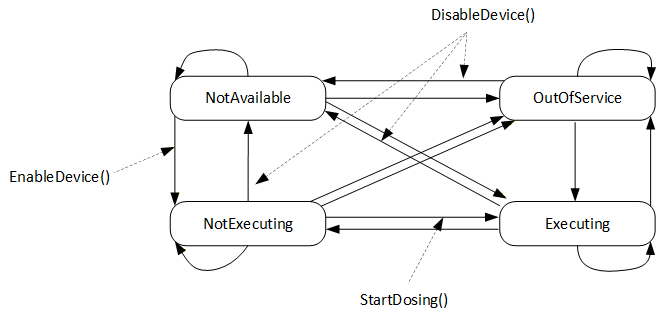
EnableDevice (defined in 8.5) triggers the transition from NotAvailable to NotExecuting by e.g. switching on the drives of the device. NotExecuting means, the dosing device is ready for dosing and waiting for a dosing signal.
DisableDevice (defined in 8.6) triggers the transition from any state to NotAvailable by e.g. switching off the drives of the device. Further SubStates like e.g. “sleep”, “energy saving”, “eco mode” or “off” are not defined in this specification.
StartDosing (defined in 8.7) triggers the transition from NotExecuting to Executing if RemoteControlActivated (defined in Error! Reference source not found.) is in mode “OPC UA” (2). If not, the transition is performed by the server.
The transition from Executing state to any other state can be triggered in different ways depending on the application, e.g. automatically by the server in IMM application after each cycle or by the methods StopDosing or StopDosingAfterCycle in case of continuous dosing.
Figure 3 gives an overview of the machine state, transitions and methods.
For the operation modes, the MachineryOperationMode state machine is used without changes: