Annex C Relative Spatial Location examples (Informative)
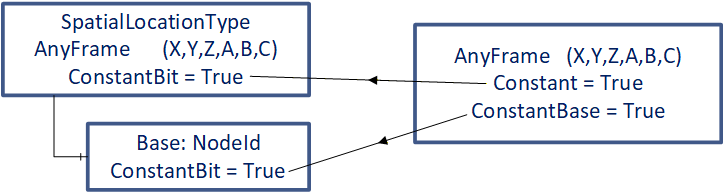
To show usage of the Constant bit of the Attribute AccessLevelEx, which provides the information about dynamic or static behavior, the figures in Annex C are simplified in the following way (see Figure 12) :
"Constant" is used for the Constant bit of the AccessLevelEx Attribute of the Variable itself
"ConstantBase" is used for the Constant bit of the AccessLevelEx Attribute of the Variable Base
C.1 Example ChessTable
Remark: The Variable Base of instances of SpatialLocationType are shown in the server-instance-examples as green arrows (acting as poor-mans-references) between the instances of CartesianFrameAngleOrientationType, which describe frames.
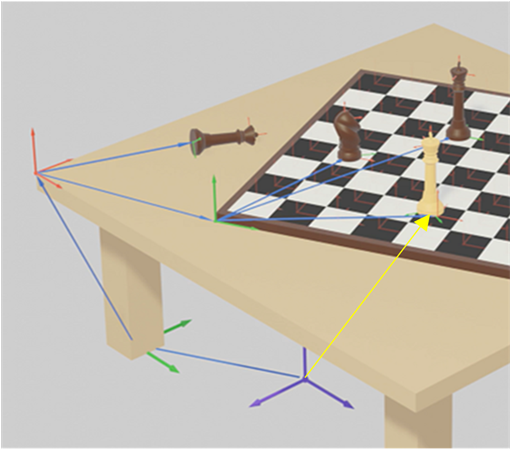
In the rendered images green coordinate systems define the positions of objects and red coordinate systems define attach points which could be added to objects. The base coordinate-system (WorldFrame) is blue.
C.1.1 Each object in space is self-contained - example: Table
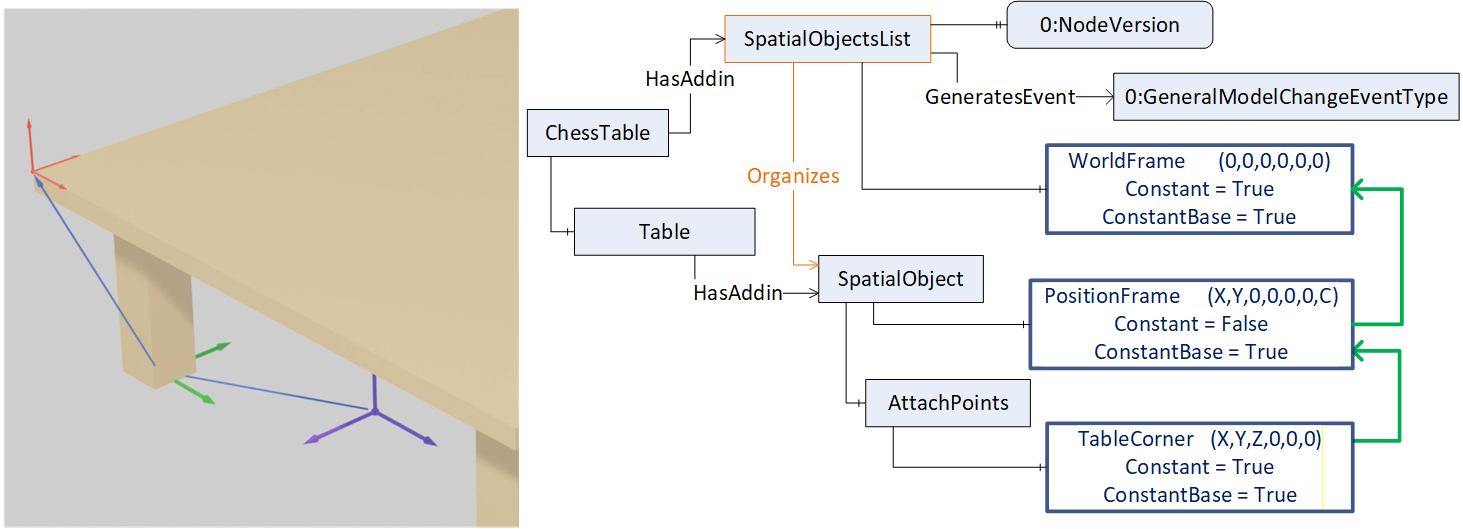
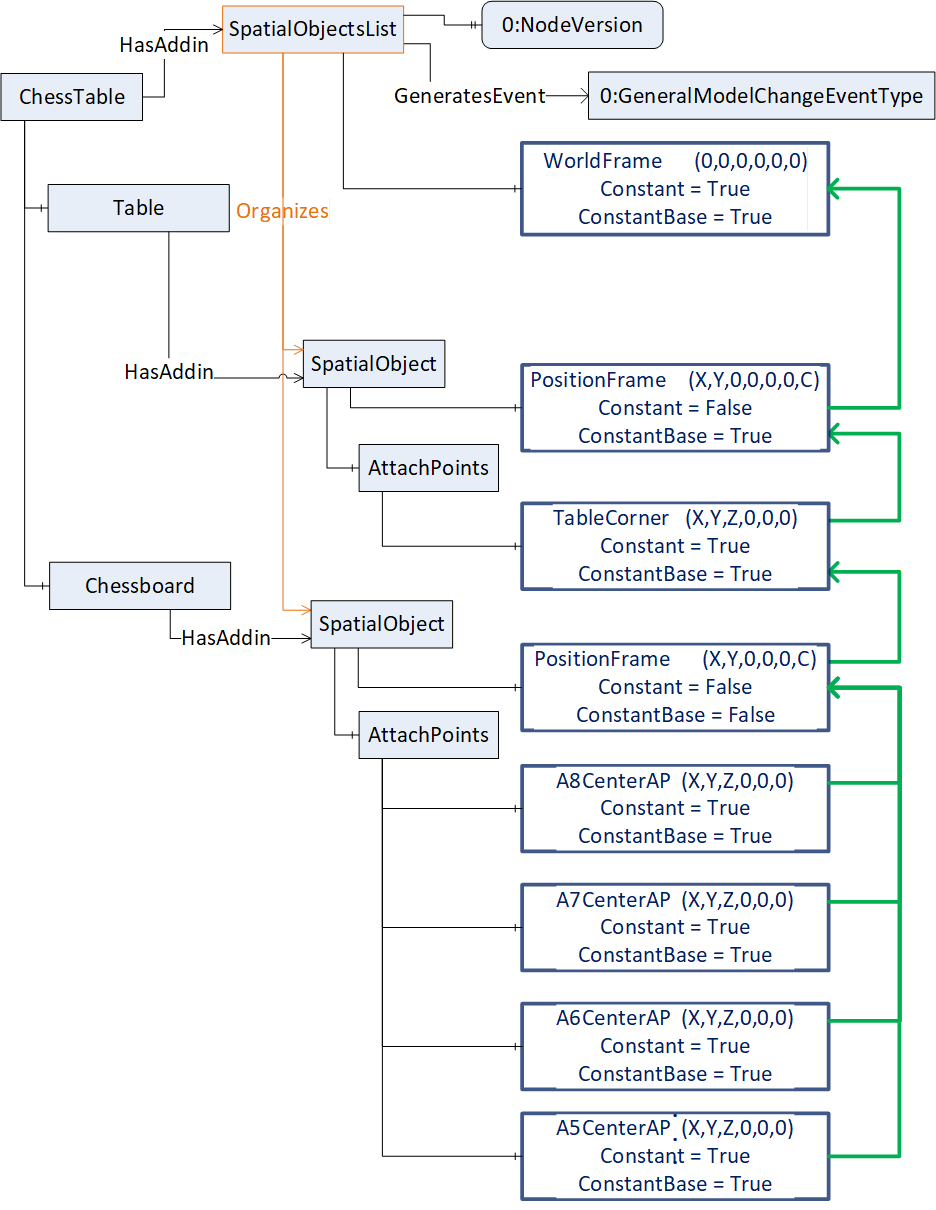
An object is extended by the SpatialObject-Addin which provides (see Figure 13):
Its position regarding a defined coordinate system (WorldFrame):
The green coordinate system at the left foot of the table is the location of the table. It is defined by the PositionFrame of its SpatialObject, which describes the shift related to the WorldFrame.
It is assumed that the table is movable, so the Property Constant this PositionFrame is False. This table is moveable but will always be related to this WorldFrame, so ConstantBase of this PositionFrame is True.
Attach points of the object where other objects can be geometrically related:
The red coordinate system at the table corner can be defined as an attach-point of the table.
The blue arrow from the foot to the corner of the table shows the displacement (via a frame definition) from the table position to the table corner by the frame TableCorner. The red coordinate system defines the coordinate system of this attach point.
The table is rigid, so table corner does not change its position and so Constant and ConstantBase of this attach-point TableCorner are both True.
C.1.2 Attach an object to another object - example: Table with chess board with fields
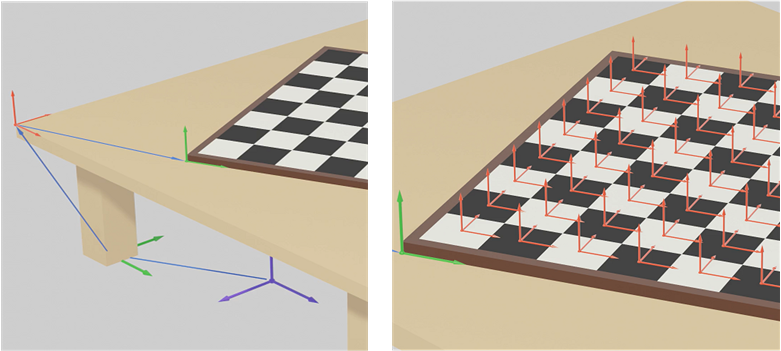
The chess board is an own object (extended with the SpatialObjectType Addin) and is geometrically described with
its position regarding the attach-point of the table (TableCorner) by its PositionFrame.
We assume that the chess board can be moved to another object (e.g. another table), so ConstantBase of the PositionFrame of the Chessboard is False.
We assume that the chess board can be displaced on this table, so the Constant of this frame is False.
And the chess board can be brought in relationship to any other object, so the ConstantBase of this frame is False. So, if this chess board should be only moved on the table it might be hard related the table corner, so the ConstantBase would be True.
possible attach-points of the chess board. All field center positions (red coordinate systems on the right picture in Figure 14) can be described individually (xxCenterAP frames in Figure 15 where xx indicates the field number).
based on the common coordinate system of the chess board (green coordinate system which is described by the chess board PositionFrame relative to the table corner)
C.1.3 Attaching further objects - example: chess pieces on a field of the chess table
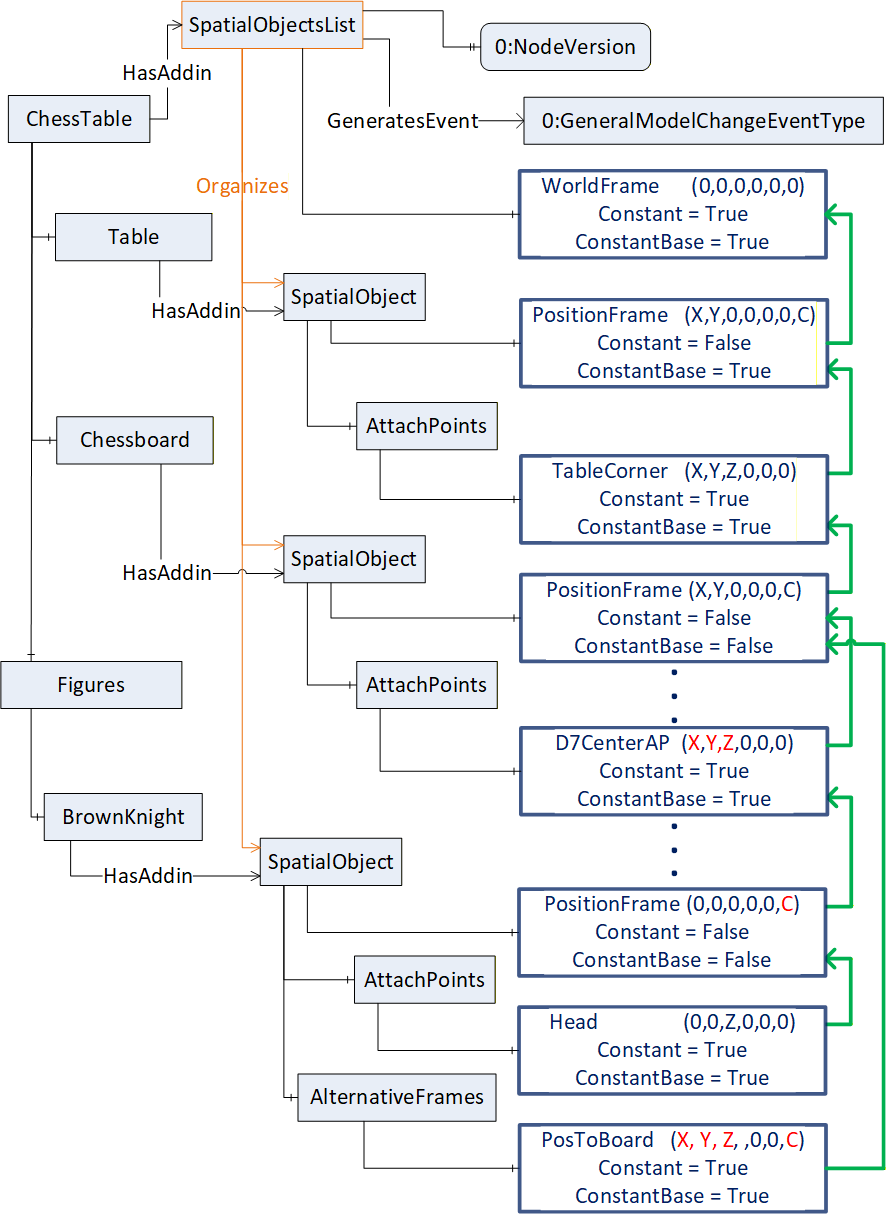
The brown knight piece is an own object (extended with the SpatialObjectType Addin) placed on field D7 (Figure 16), is positioned to the coordinate system of field D7 (red coordinate system) by a rotation of angle C counterclockwise in its position frame. (green coordinate system on field C7).
The head of the brown knight piece can be defined as own attach-point, of the figure because this might be a position to pick up this object.
An alternative frame for describing the position of the brown knight provides the knight´s position additionally related to the chess board position (PosToBoard based on the green coordinate system spanned up by the chess board´s PositionFrame).
For this example, the Properties of the PositionFrame of the brown knight are defined as:
ConstantBase = False, because when the knight is moved to another field the Base may change to the new field.
Constant = False, because the position and orientation relative to any Base will most likely change with every move.
C.1.4 Attaching further objects with and without attach-points - example: Chess board on table with chess pieces.
Note, that the chess pieces on the board are related directly to the chess board and not to fields of the chess board to show the flexibility of this concept.
In this example (Figure 17) there are no fields on a chess board defined as attach-points. So, the pieces on the board are related directly to the position of the board. So, the position frames of the brown horse, the brown king and the white king include the shift of X, Y and Z additionally to the rotation C (compared to example C.1.3 using attach points for fields of a chess board).
The PositionFrame of the brown queen is related to the attach point of the table corner
The white king has an alternative position frame (WorldPosWK yellow) related to the WorldFrame.
C.2 Example of two motion devices with tools
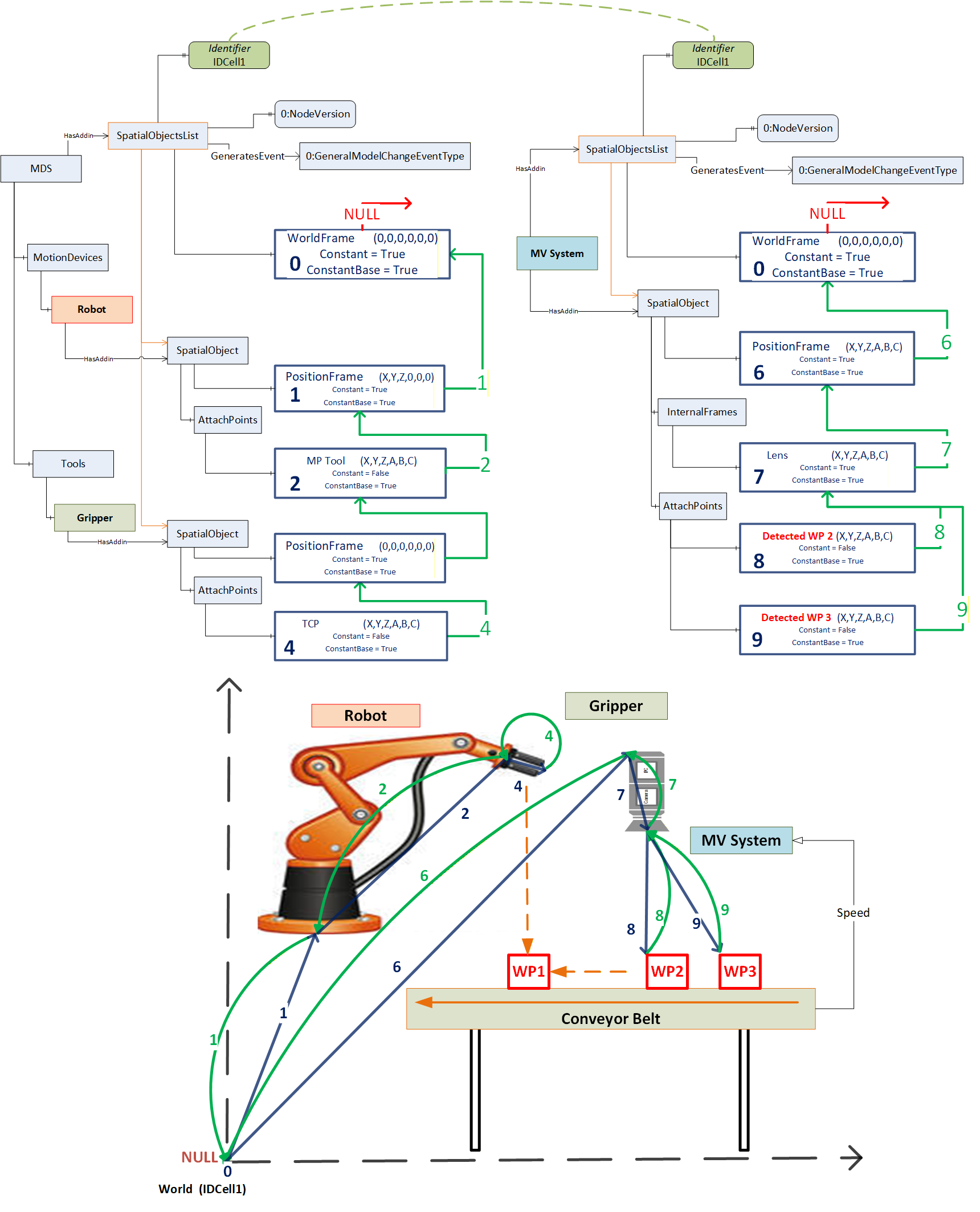
Following example address space describes the Spatial Relative Location concept with different objects used in an example industrial application (Figure 18). A robot mounted on a linear unit carrying an exchangeable robot tool. A second tool to change is placed at a change station on a table. Additionally, a tool for the robot is configured and not used in this application scenario (so Variable Base is NULL), but may occur, when brought in spatial relationship to frames SpatialObjects of this SpatialObjectsList.
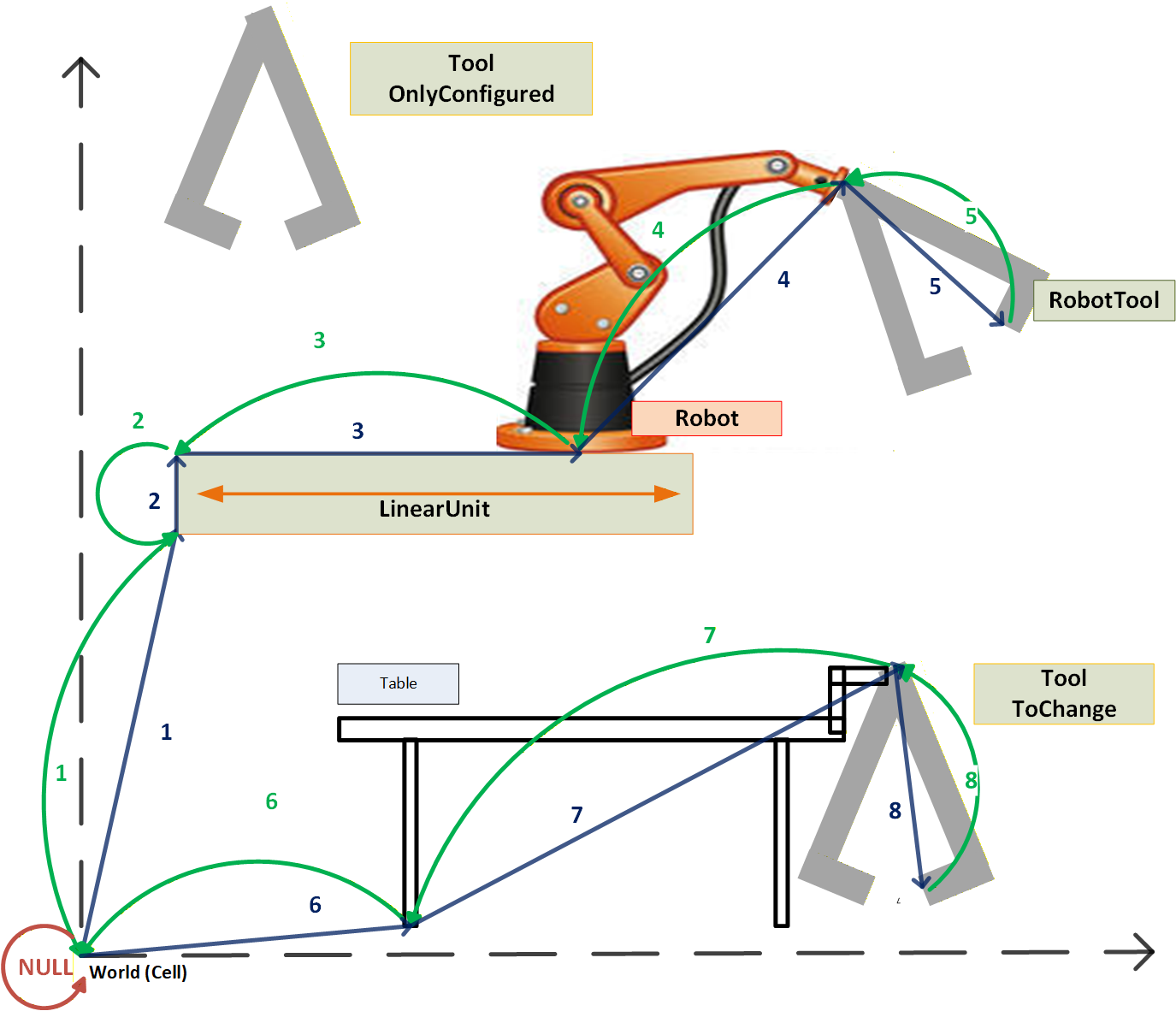
Following figure (Figure 19) shows different representations how, for example, the SpatialObject of the LinearUnit can be described
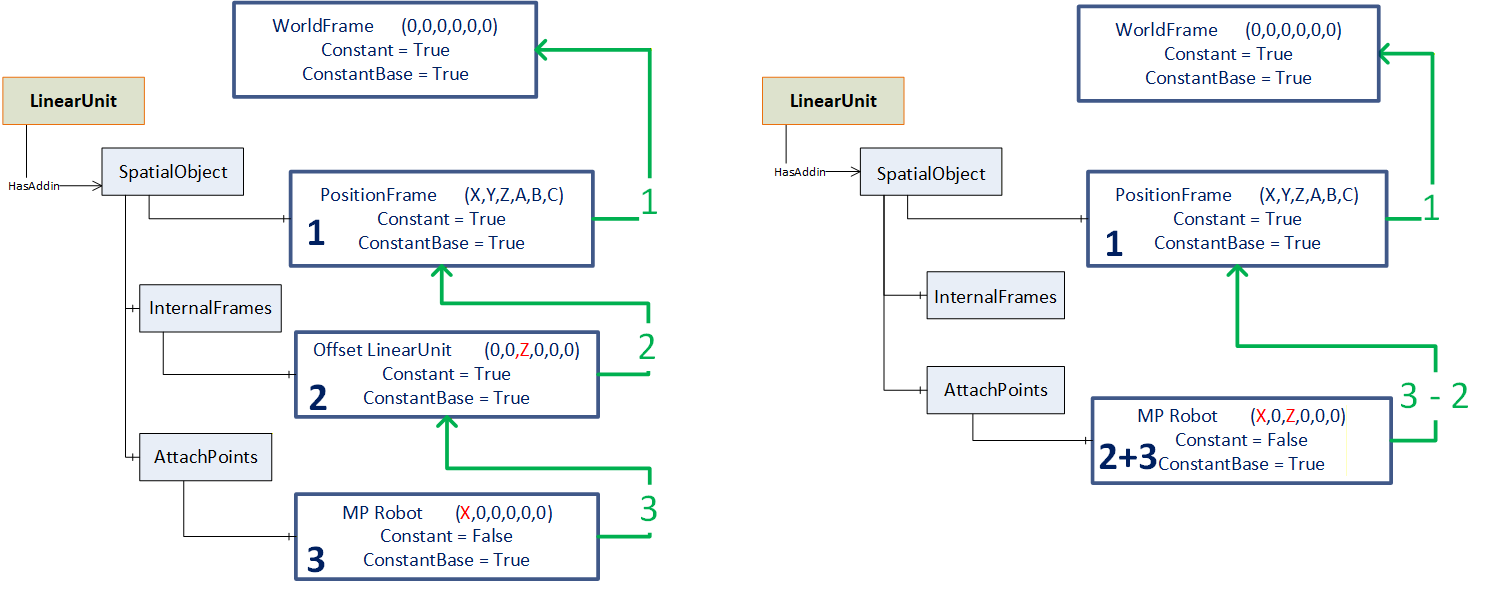
Following figure (Figure 20) shows an example address space for an automation cell as shown in Figure 18
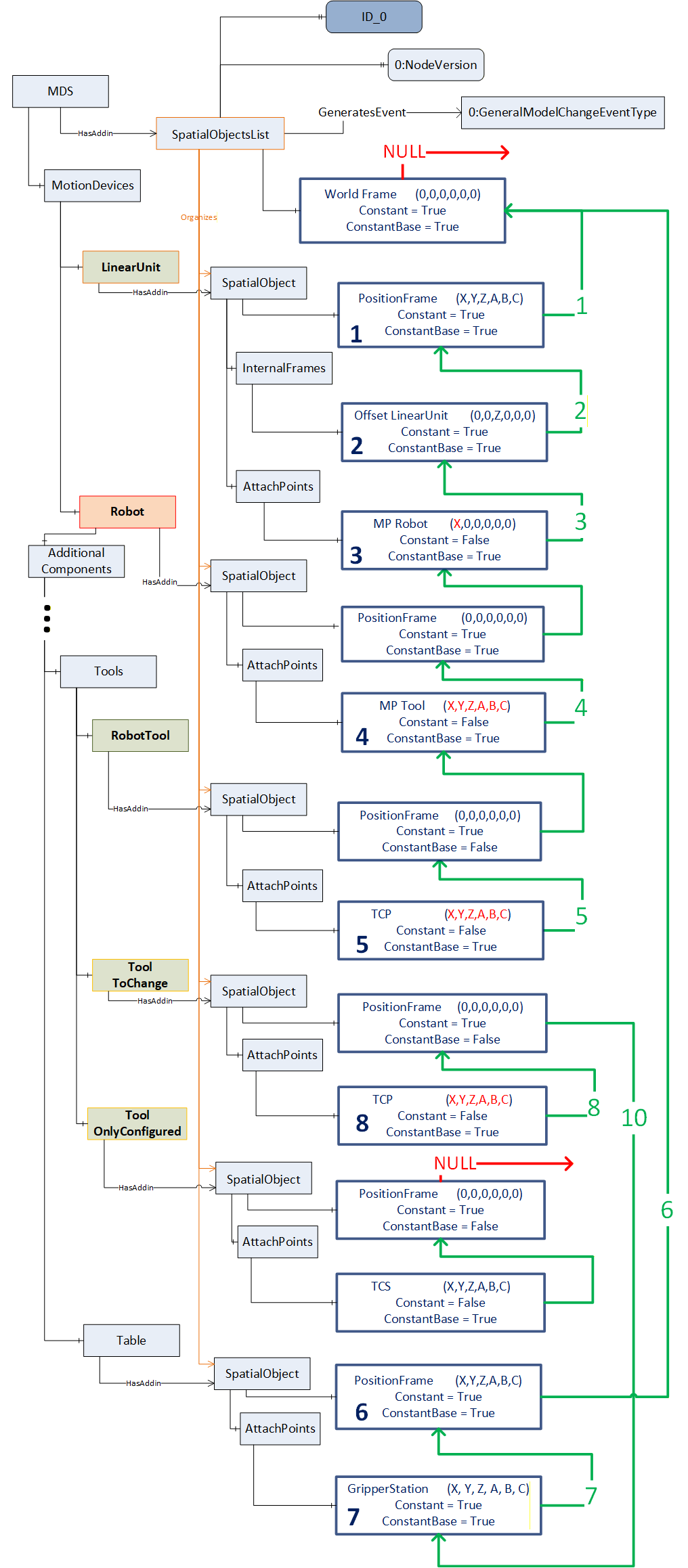
C.3 Example use of the Identifier Property in a multi-server scenario
For the use in multi-server scenarios with different servers it might be needed to identify all related SpatialObjectsLists and bring them in relationship in a higher levelled SpatialObjectsList. For this the Property Identifier of a SpatialObjectsList can be instantiated as the Property Identifier of a SpatialObject contained in a higher-level SpatialObjectsList.
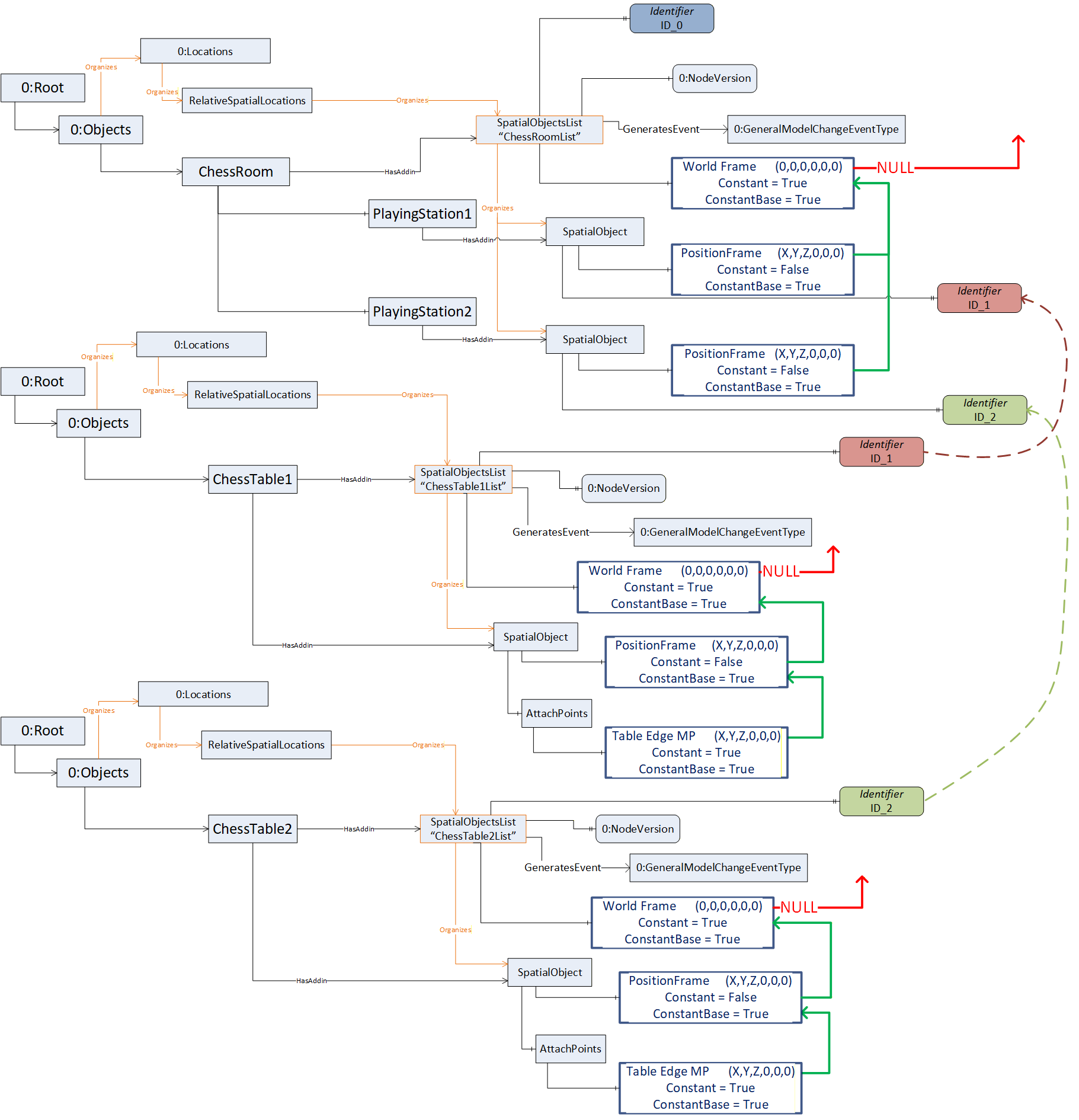
C.4 Example use of the Identifier Property in aggregated scenarios
Figure 22 shows an aggregating server, which aggregates all servers illustrated in Figure 21.
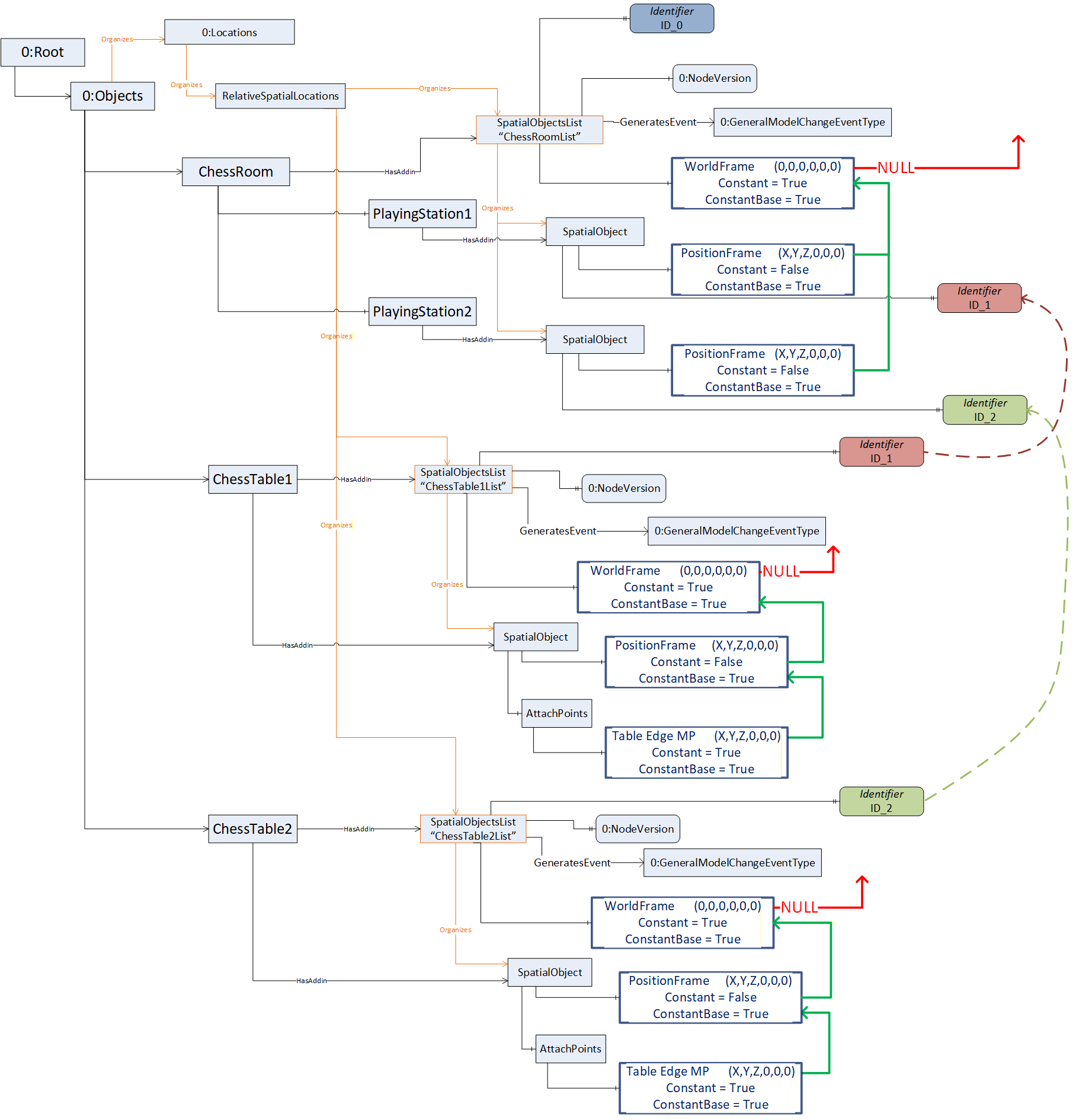
C.5 Example usage of the Property Identifier in applications running on different servers
A lot of devices within an automation cell are running geometrically based on a common base frame definition.
At the setup of the automation-cell the Property Identifier might be used for a common cell-id to support the usage of the Relative Spatial Location concept in different devices using a common base coordinate system (Figure 23).